AI writing tools and AI agents run on the same language models, and both are good at producing clean, readable text. They differ in how much of the job they carry once the text exists.
A writing tool waits for your prompt and hands back a draft. An agent takes a goal such as “post on LinkedIn three times a week” and works through the steps around the draft, from choosing the topic to putting the post on a calendar. The Stanley team builds an AI Head of Content for LinkedIn, X, Instagram and Threads, so this question comes up in most conversations with new users.
Key Takeaways
AI writing tools respond to a prompt with text, while AI agents plan and complete multi-step work toward a goal you set.
An AI agent usually contains a writing tool, plus memory, connections to your apps and a feedback loop that improves the next draft.
McKinsey’s 2026 survey found 47% of organizations scaling chatbots and about two in ten scaling AI agents, so agents are the newer layer.
AI writing tools suit one-off writing tasks, and an AI writing agent suits recurring work such as a weekly LinkedIn posting habit.
LinkedIn AI agents are most useful when they remember your background, draft from your real work and leave the final approval with you.
Try Stanley free for 14 days to see how an AI agent plans, drafts and schedules your posts on LinkedIn, X, Instagram and Threads.
What Are AI Writing Tools?
AI writing tools are apps that turn a prompt into text. You describe what you want, the tool writes it, and you decide what happens next.
The category is broad. It covers general chatbots such as ChatGPT, Claude and Gemini, dedicated AI writing software such as Jasper and Copy.ai, and the AI writing assistant built into editors like Grammarly, Google Docs and LinkedIn’s own post composer.
Adoption is close to universal among marketers. In Ahrefs’ 2026 survey of 301 marketers, 93% said they use AI to create or help create content, and 85% of those users said it helps them produce content faster.
What the Best AI Writing Tools Do Well
The best AI writing tools share a set of strengths that make them worth keeping, even if you later add an agent.
Speed on a Single Task: A clear prompt returns a usable draft, outline or rewrite in seconds.
Flexibility Across Formats: The same AI writing tool can produce an email, a headline list, a product description or a LinkedIn post.
Low Cost to Start: Many free AI writing tools cover everyday drafting, and paid plans often cost less than a team lunch.
Predictable Scope: You get what you asked for, which is exactly what you want when you already know what the piece should say.
Polish and Editing: AI copywriting tools and grammar assistants tighten wording, fix tone and catch errors in text you wrote yourself.
These AI-powered writing tools are a strong fit when the task is small and well defined. One Reddit user in put it plainly: “Half the time I already know what I want done, so opening a tool and doing it directly feels faster.”
Where AI Tools for Writing Stop
AI tools for writing finish their part when the text appears. Choosing the topic, finding the source material, moving the draft to the right platform, scheduling it and checking how it performed all stay with you.
That’s a fair trade for a single email. For a recurring job, the coordination around the draft takes more time than the draft itself, and that gap is where agents come in.
What Is an AI Agent?
IBM defines an AI agent as “a system that autonomously performs tasks by designing workflows with available tools.” Google Cloud’s definition adds that agents “show reasoning, planning, and memory” and can make decisions, learn and adapt.
In plain terms, you give an agent a goal instead of a prompt. It breaks the goal into steps, uses connected apps to carry them out, checks the result and adjusts.
If you’ve wondered what are AI agents made of, the answer is four parts working together:
A Language Model: The same kind of model that powers AI writing tools does the reasoning and the writing.
Memory: The agent keeps what it learns about you, your preferences and past results between sessions.
Tools and Connections: Calendars, social accounts, meeting recorders and other apps let the agent gather information and take action.
A Feedback Loop: The agent reviews outcomes and your corrections, then applies them to the next task.
Types of AI Agents
IBM’s guide lists five types of AI agents, ordered from basic to advanced: simple reflex, model-based reflex, goal-based, utility-based and learning agents. AWS adds two more in its own explainer, hierarchical agents and multi-agent systems.
AI Agents Examples You Can Use Today
AI agents examples are now common in everyday software, and the best AI agents tend to focus on one job.
OpenAI’s ChatGPT agent, launched in July 2025, can browse sites, run code and build a slide deck from research, asking permission before actions with real consequences.
LinkedIn has its own. Its Hiring Assistant, which the company calls its first AI agent for recruiters, saved early adopters more than four hours per role according to LinkedIn’s newsroom.
Business adoption is moving fast. In PwC’s survey of 308 US executives, 79% said AI agents are already being adopted in their companies, and 66% of those adopters reported higher productivity.
AI Tools vs AI Agents: The Main Differences at a Glance
The AI tools vs AI agents comparison is clearest side by side. The table below describes each one from your seat as the person doing the work.
AI Writing Tools
AI Agents
What Starts the Work
You write a prompt each time you need something.
You set a goal once, and the agent keeps working toward it.
What You Get Back
A piece of text you can copy, edit and use.
A finished step, such as a scheduled post or a weekly report.
Memory
Most tools start fresh, or remember a few saved settings.
The agent keeps your background, preferences and past results.
Who Picks the Next Step
You decide what to do with the draft.
The agent proposes or takes the next step, and you approve it.
Connections
The tool works inside its own window.
The agent connects to your calendar, notes and social accounts.
Your Role
You’re the writer’s manager and the project manager.
You’re the editor who gives direction and signs off.
Best For
One-off writing tasks with a clear brief.
Recurring, multi-step work where coordination eats your time.
Gartner predicts that 40% of enterprise apps will feature task-specific AI agents by 2026, up from less than 5% in 2025. Many of the tools you use now will gain agent features, so the two categories will keep blending.
AI Agent vs Chatbot, AI Assistant, LLM and Workflow
A few neighboring terms cause most of the confusion, and each has a short answer.
AI Agent vs Chatbot: A chatbot replies to messages. IBM notes that chatbots without tools, memory or reasoning can’t plan ahead, while agents can create subtasks and correct their own plans.
AI Agent vs AI Assistant: Google Cloud describes an assistant as reactive, where it recommends and you decide. An agent is proactive and goal-oriented.
AI Agent vs LLM: A large language model is the engine. An agent is the full vehicle, with memory, connections and a goal built around that engine.
AI Agent vs Workflow: Anthropic’s engineering guide says workflows follow “predefined code paths,” while agents “dynamically direct their own processes and tool usage.”
AI Agents vs Agentic AI: Agentic AI is the broader approach of giving AI goals and autonomy. AI agents are the individual systems built that way.
On another reddit thread, one user summed up the last two well: “Workflows are great for predictable, repeatable tasks. Agents are better when the goal is clear, but the path can change.”
Why an AI Writing Agent Often Produces Better Drafts
An AI writing agent and a writing tool can share the same model, so you might expect the same output. In day-to-day use, the agent’s drafts are often tighter, and builders on Reddit explain why.
The Agent Decides What to Write Before It Writes
In a thread on drafting, a user described the model as “great at ‘write this one thing tightly’” once something else has set the scope. Their rule: “the writing tool drafts the smallest unit I can define.”
Another user described the same split in agent terms: “the reasoning step decides what to write and how much, then the writing step just executes.”
That’s the design advantage. A planning step that knows your audience and goal hands the writing step a precise brief, and precise briefs get precise drafts.
The Agent Starts From Your Material
In the same thread, user ctenidae8 runs a four-stage setup: gather information into a library, generate ideas from it, pass “a package of info” to the writer, then review. They report that “the writer’s voice has held.”
An AI content agent built this way writes from facts it was given. Your meeting notes, voice memos and past posts supply the details that make a draft specific to you.
The Agent Learns From Feedback
Another argued that AI writing feels generic when “it lacks a feedback loop,” then built a system where agents critique and revise each other’s work.
Memory gives an agent that loop with you. Each correction you make carries into the next draft, so the tenth post needs less editing than the first.
The Human Stays in the Approval Seat
Good agents keep you in charge. In a thread on everyday agent use, federicodonatone described an agent that reads a call transcript and drafts the recap email: “i read it and send.”
In Adobe’s Creators’ Toolkit Report, 85% of more than 16,000 creators said they want the final say over AI-assisted work.
AI Writing Tools or an AI Agent for Writing Content: How to Choose
Choosing between AI content writing tools and an AI agent for writing content depends on how often the job repeats and how many steps surround the draft.
A writing tool is the right pick when these describe your task:
You Know the Message: The brief is clear in your head and you need it worded well.
The Task Is One-Off: A bio, a cover note or a single announcement doesn’t need a system behind it.
The Text Stays Put: You’ll paste the result into one place and move on.
An agent earns its place when these sound familiar:
The Job Repeats Weekly: Posting, reporting and follow-ups come around on a schedule.
The Inputs Live in Many Places: Ideas sit in call recordings, chat threads and notes apps.
Consistency Is the Hard Part: You write well when you sit down, and sitting down is what slips.
Most creators haven’t made this move yet. In CreatorIQ’s 2026 creator report, 72% of 5,095 creators had used AI, and 1% used it for workflow automation.
McKinsey’s 2026 State of AI survey shows the same pattern in business: 47% of respondents said their organizations are scaling chatbots, and about two in ten said the same for AI agents. People who add an agent now are early.
LinkedIn AI Agents: What an AI Agent for LinkedIn Does
LinkedIn is a good test case because a LinkedIn presence is a weekly routine. One strong post helps, and a steady run of them builds an audience.
LinkedIn itself is comfortable with AI help. The company told Social Media Today in August 2026 that using AI to refine your language is fine, and its composer includes AI writing help.
The Weekly LinkedIn Job, Step by Step
Here’s how a week of LinkedIn posting divides up when you use AI tools for LinkedIn compared with LinkedIn AI agents.
Step
With AI Writing Tools
With a LinkedIn AI Agent
Pick the Topic
You choose a topic and write the prompt.
The agent suggests topics from your strategy and recent work.
Gather Material
You paste in notes or retype the story.
The agent pulls from connected calls, notes and newsletters.
Write the Draft
The tool writes it in seconds.
The agent writes it in seconds, using what it knows about you.
Edit for Your Style
You re-explain your preferences in each new chat.
Your standing rules and past corrections are already applied.
Schedule the Post
You copy the text into LinkedIn or a scheduler.
You approve, and the agent places it on the calendar.
Review Results
You open analytics and work out what to change.
The agent reports what performed and adjusts its next ideas.
The writing step is identical in both columns. An AI LinkedIn post generator handles that row well, and the agent’s contribution is the five rows around it.
What to Look for in AI Agents for LinkedIn
AI agents for LinkedIn vary a lot, and “agent” is a popular label. Before you pick an AI agent for LinkedIn, check for these six things.
Memory of You: It should store your background, offers and audience so you explain them once.
A Written Strategy: It should work from a stated goal and audience, which keeps your topics focused.
Real Source Material: It should connect to meetings, notes or newsletters so drafts start from your work.
Publishing and Scheduling: It should place approved posts on LinkedIn at a set time.
Reporting: It should show results and use them to shape the next round of ideas.
Your Approval: It should hold every post for your sign-off, the same way a good AI ghostwriter or human one would.
These points apply beyond LinkedIn too. Any AI social media agent, AI marketing agent or wider set of AI agents for content creation should pass the same test.
How Stanley Works Like a LinkedIn AI Agent
Stanley is the AI Head of Content built by the team at Stan. It works like an AI agent across LinkedIn, X, Instagram and Threads, and the Stanley team’s own LinkedIn account shows each agent part at work.
Find out more about how to use Stanley for your LinkedIn strategy.
Stanley Remembers Who You Are
Stanley’s Brain holds everything it knows about you. The My Human page stores up to 50,000 characters of background, product facts, audience notes and positioning, and Stanley Memories keeps what it learns from your chats.

Stanley’s My Human page, the memory an AI writer needs to move from generic to specific.
A separate Instructions page holds standing rules applied to every reply, and a Strategy page sets the goal and audience. You state your preferences once, and every later draft follows them.
Stanley Pulls From Your Work
An agent needs connections, and Stanley’s Integrations page lists them. Meeting notes arrive from Granola, Fathom, Fireflies and Wispr Flow, alongside iMessage, Substack and Kit newsletters, Slack, Notion and Google Calendar.

Stanley’s integrations, where meeting recorders and newsletters sit beside your social accounts.
This is the “package of info” from the Reddit thread, assembled for you. A draft that begins with Tuesday’s customer call has details no blank prompt can supply.
Stanley Writes on Request, Like the Best AI Writing Tools
Stanley still works the way AI writing tools do when you want that. On the Ideate screen, the Stanley team typed a one-line brief asking for a factual post on why using AI to write LinkedIn posts is a great idea.

The Stanley team’s brief on the Ideate screen.
The draft came back as a structured post about practitioners turning real work into LinkedIn content, with Save Draft and Schedule buttons underneath.

Stanley’s draft, one click away from the calendar.
Those two buttons mark where a tool ends and an agent continues. The text is done, and the next step is already in front of you.
Stanley Schedules, Follows Up and Reports
Approved drafts land on the Content Calendar with a date and time. In the team’s account, October showed eight LinkedIn posts lined up from October 8 to October 16.
Rituals are the proactive part. Good Morning sends one useful thing to start your day, Evening Report recaps posts and performance, and Calendar Sync follows up on your meetings.
On X, the follow-up reaches your replies too. With Auto-DMs, you attach one direct message to a post, and Stanley sends it to everyone who replies or only to people who use a keyword such as “LINK”. The feature runs on X only, so on LinkedIn, Stanley drafts and schedules while direct messages stay with you.
The Insights tab closes the loop. It showed 18,519 impressions over the past year for the connected account, and on the Locked In plan Stanley turns those numbers into a weekly review with recommendations.
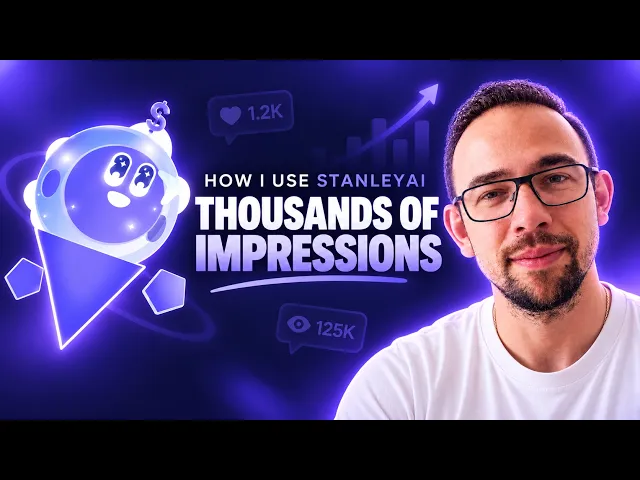
Creator Colin Dijs shows how he uses Stanley for his LinkedIn content.
Best For: Founders, consultants and coaches who want AI for LinkedIn posts that covers planning, drafting and scheduling, with X, Instagram and Threads on the same calendar.
Pricing: Intern $49 a month and Locked In $199, each with a 14-day free trial. VIP adds a human strategist for $1,000 a month.
Reviews: 4.7 out of 5 on the App Store from 451 ratings.
Where It Falls Short: Stanley focuses on social content, so you’ll want separate AI writing tools for long reports or sales emails.
The team introduced the product in a post titled Meet Stanley, which explains the thinking behind an AI Head of Content.
AI Writing Tools and AI Agents Work Best Together
AI writing tools and AI agents are two layers of the same technology. The tool turns a prompt into good text, and the agent wraps that skill in memory, connections and follow-through.
For a single piece of writing, a tool is all you need. For work that repeats, such as LinkedIn posting, AI agents for marketing take over the planning, scheduling and reporting that used to sit on your to-do list.
Both make writing faster and more consistent, and both leave the final call with you.
Frequently Asked Questions
Are AI Agents and AI Tools the Same?
AI agents and AI tools are not the same, although they run on the same models. AI tools perform one task when you prompt them, such as writing a paragraph. AI agents pursue a goal across several steps, using memory and connected apps, and check in with you for approval.
Which AI Tool Is Better for Writing?
The AI tool that is better for writing depends on the task. General chatbots such as ChatGPT, Claude and Gemini suit one-off drafts, and editors like Grammarly suit polishing. For recurring social content on LinkedIn, X, Instagram or Threads, Stanley is a better fit because it works like an agent that also plans, schedules and reports.
Is ChatGPT an AI Agent?
ChatGPT is an AI chatbot by default, and it acts as an AI agent in agent mode. A standard chat answers prompts one at a time. ChatGPT agent, launched by OpenAI in July 2025, browses sites, runs code and completes multi-step tasks with your permission.
What Are the Main Types of AI Agents?
The main types of AI agents, according to IBM, are simple reflex agents, model-based reflex agents, goal-based agents, utility-based agents and learning agents. AWS adds hierarchical agents and multi-agent systems to that list. Most consumer products described as agents are goal-based or learning agents.
Are AI Agents Just Bots?
AI agents are more capable than bots. Google Cloud describes bots as following pre-defined rules with limited learning, and AI assistants as reactive helpers that respond to requests. AI agents are proactive and goal-oriented, so they can complete multi-step tasks, make decisions within limits you set, and adapt from feedback.
What Are the Top AI Agents in 2026?
The top AI agents in 2026 depend on the job, because no official ranking exists. Well-known examples include ChatGPT’s agent mode, coding agents for software teams, LinkedIn’s Hiring Assistant for recruiters, and Stanley, which works like an AI agent for social media content.
Sources
What Are AI Agents?, Anna Gutowska, IBM
What Are AI Agents?, Google Cloud
Building Effective Agents, Anthropic, December 19, 2024
What Are AI Agents?, Amazon Web Services
Introducing ChatGPT Agent, OpenAI, July 17, 2025
Hiring Assistant, LinkedIn’s First AI Agent for Recruiters, to Launch Globally in English, LinkedIn Newsroom, September 3, 2025
PwC’s AI Agent Survey, PwC, 2025
Gartner Predicts 40% of Enterprise Apps Will Feature Task-Specific AI Agents by 2026, Gartner, August 26, 2025
The State of AI in 2026: On the Road to ROI, McKinsey, August 25, 2026
69% of Marketers Are Publishing More AI Content Than Last Year, Glen Allsopp, Ahrefs, September 30, 2026
State of Creators Report 2026, CreatorIQ
LinkedIn Says 1M People Have Reported AI Slop, Social Media Today, August 20, 2026
AI Agents vs AI Tools, I Think Most People Don’t Actually Want AI Agents, r/finevoice, Reddit
Understanding AI Workflows vs AI Agents, r/nocode, Reddit
What Do You Actually Use AI Agents for These Days, and What Still Doesn’t Work Well?, r/AI_Agents, Reddit
They Say AI Can’t Write; Maybe It’s Because Agents Lacked Creative Writing Workshops, r/AI_Agents, Reddit
How I Use StanleyAI To Generate Thousands of Impressions, Colin Dijs, YouTube
Stanley: AI Head of Content, App Store ratings